Many APIs answer 401 Unauthorized without a key, so the check would always fail. Add the key as a request header and we send it with every check.
1
Add the header
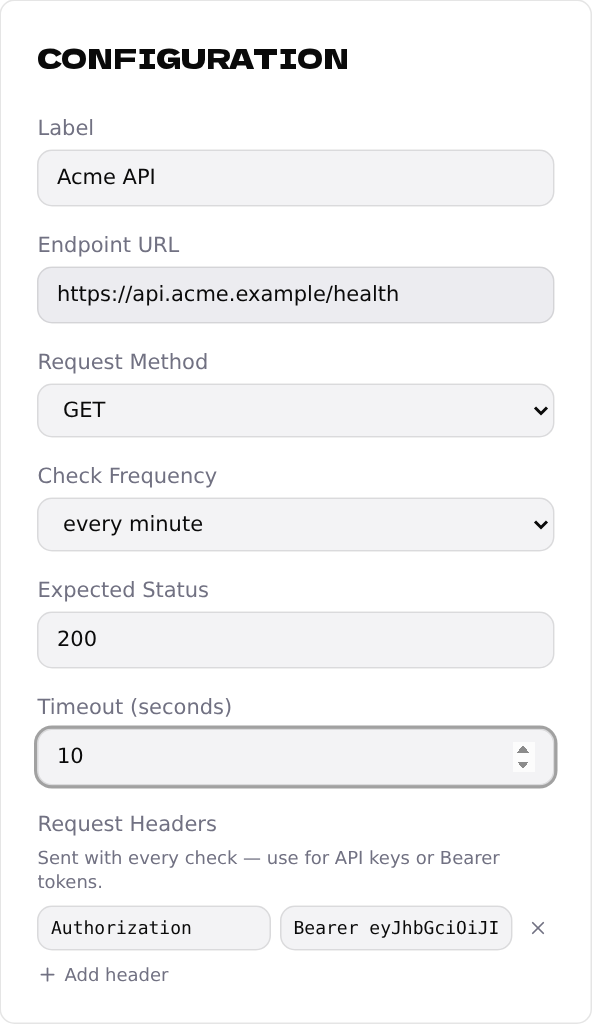
When adding the endpoint, click Yes, show options in the options step. On an existing endpoint, use the Configuration card on its detail page. Under Request headers, enter the header name and its value:
- •A Bearer token:
Authorization=Bearer eyJhbGciOi… - •An API key:
X-API-Key=your-key(use the header name your API expects)
2
Save and check the result
Click Save Changes. The next check runs within a minute; if it's still 401, the key or the header name is wrong.
Create a separate, read-only key just for monitoring. If it ever leaks, nobody can change anything with it, and you can revoke it without breaking your app.