To publish a status page, the verification file has to be reachable at an exact address. Here's what each error means.
1
“Save a label before verifying”
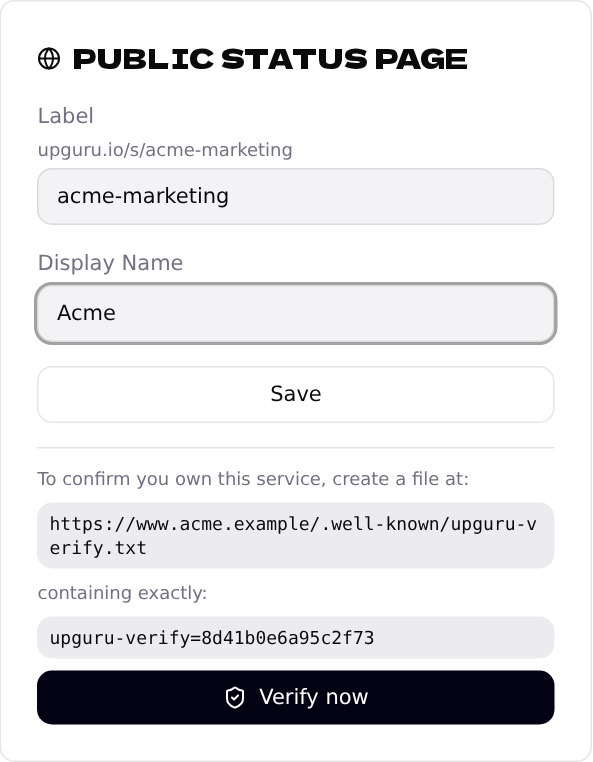
Choose a label, click Save, and only then Verify now. The verification code appears after saving.
2
“Got HTTP 404” or “Could not reach …”
- •The file has to be on the same domain as the address you monitor —
www.example.comandexample.comare different. - •It has to use the same
https://orhttp://as the monitored address. - •The folder is
.well-known, with the dot at the start, in your website's root folder. - •Some file managers hide folders that start with a dot — turn on "show hidden files".
Check it yourself:
curl -i https://www.example.com/.well-known/upguru-verify.txt
You should see HTTP/2 200 and your upguru-verify=… line.
3
“File found, but its contents didn't match”
- •The file must contain only the line from the card, e.g.
upguru-verify=8d41b0e6a95c2f73. - •Some sites send unknown addresses to the homepage or a login page. Then we get that page instead of the file; ask your hosting to serve
.well-knownfiles as they are.
4
Label errors
- •Labels may contain only lowercase letters, numbers and hyphens, like
acme-shop. - •That label is already taken — someone else uses it; pick another one.
Status pages are available for website and API checks only.